
Built by job seekers who've been there
JobWhat was built by exhausted, frustrated job seekers like you. We've applied to thousands of jobs, been ghosted countless times, and lost track of interviews. We're here so you can reclaim hours from your day.
7 min readJobWhat Team
- Job search
- Productivity
- JobWhat
- Founders
It's 11pm. You've just hit Submit on application number 40 this week. The form asked for your work history in a slightly different order than the last three, so you retyped the same titles, dates and bullet points one more time. Your tabs are a graveyard of half-open LinkedIn searches, a spreadsheet you meant to update on Tuesday, and a calendar reminder for an interview you almost forgot about until twenty minutes ago. Your eyes hurt. Your back hurts. Somewhere between "authorized to work in the United States?" and "How did you hear about us?" you stopped feeling like a person with a career and started feeling like a copy-paste machine with a résumé attached.
If that scene is familiar, you're not dramatic. You're job searching. And the whole process sucks.
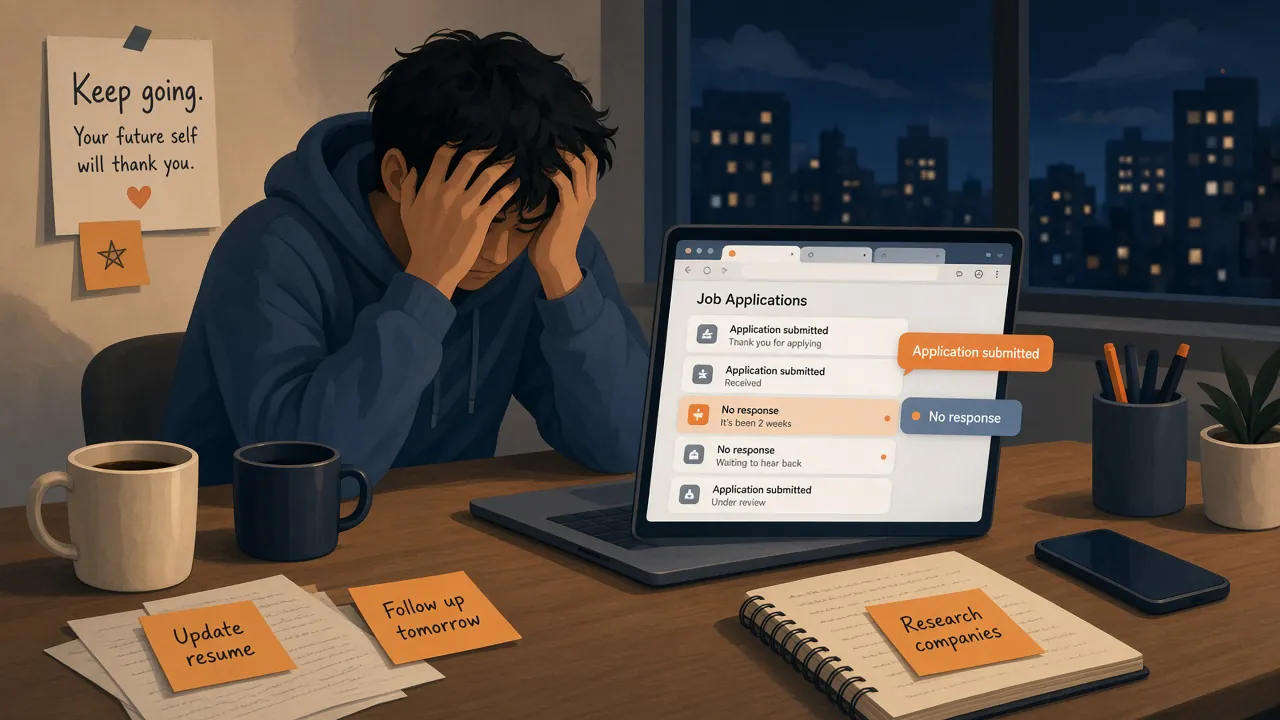
We know, because we've been there. Not as observers. As people who sat in that same chair, at that same hour, hitting Submit on yet another form that somehow still didn't know our phone number.
We've been there
We built JobWhat after living the search ourselves. Between us we've sent thousands of applications — the kind of volume that makes your browser history look like a crime scene. We've been ghosted countless times: the polite silence after a phone screen, the recruiter who vanished mid-loop, the "we'll be in touch" that never became a touch. We've lost track of jobs, interviews and follow-ups — which company wanted a thank-you note, which one said "next week," which posting we already applied to last Thursday under a slightly different title. We've spent hours upon hours on job boards, scrolling past the same roles, reopening listings we already decided against, and wondering why "Past 24 hours" still serves up Tuesday.
None of that made us special. It made us tired. And tired people, given enough nights like the one above, either quit the search or build something so the next person doesn't have to do it quite so badly.
We chose the second option.
Why the process is broken
The job search isn't hard because you're bad at it. It's hard because the system is designed around everyone else's convenience but yours.
Every company reinvents the same form. Name, email, phone, LinkedIn, city, work history, education, work authorization, EEO. You've answered these. They've asked them. Somehow you still have to type them again, often into a dropdown that doesn't recognize your school until the third spelling.
Job boards don't know what you've already done. LinkedIn will cheerfully email you a role you applied to on Monday. Viewed it, hid it, decided it was a hard no? Tomorrow's alert doesn't care. Reposts look new. Staffing agencies post the same job four times. You spend the morning sorting noise from signal.
Your brain becomes the database. Spreadsheets help until they don't. Notes in your phone help until you can't remember which note belonged to which company. Interview prep, follow-up timing, "did I already thank that hiring manager?" — it all lives in your head until it falls out of your head at the worst moment.
The emotional tax compounds. Ghosting isn't just silence; it's unpaid mental rent. Rejection without closure. Applications that vanish into ATS voids. You start rationing hope in smaller and smaller units, and somehow still have to show up cheerful for the next phone screen.
We're not going to pretend a Chrome extension fixes the labor market. We're saying the busywork and the bookkeeping don't have to take your evenings too.
What we built (and how each piece gives time back)
JobWhat is a Chrome extension we built for people like us: tired, organized-when-we-remember-to-be, done retyping the same work history. Here's what it does, and what that means for your day.
Autofill, so you stop retyping your life
Set up your profile and résumé once. On Greenhouse, Ashby, Lever, Workday, Gem and Rippling, JobWhat fills the fields it knows — contact details, links, work history, education, the usual work-authorization and EEO answers — and leaves the weird ones for you. It presses Submit for you only on Greenhouse, Lever and Ashby, and only when every field is filled and nothing needs review. That's Auto Submit, and you can turn it off in Settings. Everywhere else, you review, you send. The boring 3–4 minutes per form shrinks to a glance. That's the 11pm scene, shortened.
Job Log, so your search has one home
Every job you view, hide, watch, queue or apply to can live in one log. Statuses, notes, dates. No more "wait, did I apply there?" at midnight. Open the log, see the trail, move on. Your memory gets to be a memory again, not a filing cabinet.
Job Alerts + Quick AI match, so you stop drowning in boards
Paste a LinkedIn search link (or pull in public job lists) and JobWhat checks for new roles on a schedule, in your own browser. Jobs already in your log, already viewed, already dismissed — skipped. What's left can be sorted by how well it fits your résumé with Quick AI match (a quick title + résumé check). Morning ritual: open Job Alerts, not a pile of emails that forgot you exist.
Interview reminders, so the calendar isn't the only thing that remembers
Got a screen next Thursday? Put a reminder on the row. When it's due, that job floats up, the Reminders button counts what's owed, and the toolbar icon nudges you. Less "I almost forgot until twenty minutes ago." More "I showed up prepared because the log had my back."
Follow-up nudges, so thank-yous and check-ins don't evaporate
After an interview, the window for a thank-you or a polite check-in is short and easy to miss when you're juggling five processes. Soft follow-up nudges surface when it's time — not a guilt trip, just a tap on the shoulder before the moment passes.
Graveyard, so ghosted and rejected jobs can rest
Not every application ends with an offer. Some end with silence. Some end with "we've decided to move forward with other candidates." Those jobs don't need to clutter your active list forever. Send them to the Graveyard — still tracked, still findable, just out of the way — or let auto-bury rules lay idle ones to rest after you've moved on. Closure is a feature.
Reclaim hours from your day
We're not here to hustle you into applying to more jobs. We're here so the hours you do spend are the ones that matter: reading a posting that fits, writing the one paragraph only you can write, preparing for the interview that actually got scheduled. The retyping, the re-finding, the "where did I put that thank-you draft" — that's ours to shrink.
We built JobWhat because we were exhausted and frustrated job seekers, same as you. We've applied to thousands of jobs. We've been ghosted. We've lost the thread. We've watched whole evenings disappear into boards and forms. The whole process sucks. We're trying to make it suck less — and hand you back pieces of your day while we do.
You're not doing this alone
JobWhat is also a community. Your anonymized activity can help the next person, and theirs can help you — where hiring is active on the map, which companies are actually responding, interview and salary insights under pseudonyms that aren't tied to emails, and forms that autofill better because someone hit the weird question first.
What gets shared is narrow, and you control it in Settings → Advanced. Share anonymous activity with the community map sends city-level counts only — no job titles, companies or links. Share anonymous company activity (JobWhat Insights) adds company, role family and metro for public trends, shown only for groups of 5+ people and two days late. Share the questions a form asked that nothing could answer sends labels and options only, never your answers, so the next person gets asked up front. Share when a saved answer doesn't match helps autofill fixes (field name, what we tried, the options — not passwords or your résumé). Interview reviews, company reviews and salaries use pseudonymous identities, not your email. You can turn any of it off in Settings. Details: privacy policy, plus docs on the map, Insights and interview reviews.

Because it shouldn't feel like a second job
We also tried to make the search a little fun — not fake-cheerful, just interactive enough that a long week doesn't feel like a spreadsheet with anxiety. Confetti when a form fills right. Optional satisfying sounds if you're into that. A You've got this pep talk that says this is a marathon, not a sprint. A momentum meter that cares about effort, not just replies. A Graveyard for the roles that ghosted you. And a handful of hidden surprises tucked into the Job Log and Job Alerts — critters, cats, and stranger things we won't spoil here.
Want the scavenger hunt? Our easter egg hunt post has the riddles. See if you can find them all.
Add JobWhat to Chrome and try it free for 14 days. Then go do something that isn't another application form. You've earned that much.